How to find people to play with on PC
Solo queue isn't really the problem — matchmaking hands you strangers you'll never see again. Finding PC teammates you actually want to play with is a process, and it takes about five minutes once you know it. Here's the version that works, followed by a post template you can copy.
Do it the fast way
SquadUp is a gaming squad finder: post an LFG, filter by rank and region, chat in-app. Free to join.
Why the usual places are slow
Discord is built for talking, not matching. You join a server, find the LFG channel, and post into a stream where your message is gone in thirty seconds. There's no filter for rank or region, so you read every line manually.
Reddit is built for threads. A good r/LFG post can land you a clan, but replies come in hours, and half the game subs funnel looking-for-group into a weekly megathread nobody re-reads.
Steam forums and groups are mostly dormant. Discovery is poor, posts are unstructured, and you can't tell who's online right now.
None of these are bad tools — they're just fragmented. You end up running three tabs to answer one question: who is playing my game, at my rank, in my region, tonight? There's a fuller breakdown in our comparison of sites for gamers.
The five-step process
- 1
Decide what you're actually looking for
A one-off duo for tonight, a consistent weekly group, or a clan with a roster. The answer changes where you look: clans come from communities, duos come from a live LFG feed. Most people fail here — they post 'anyone wanna play?' and get nothing because nobody knows what they're signing up for.
- 2
Write an LFG post that filters for you
Your post is a filter, not an advert. Name the game and mode, your rank, your region, your language, whether you're on mic, how many slots you need and when you're playing. Vague posts attract mismatched players and cost you the whole evening.
- 3
Match on rank and region before anything else
Ping and skill gaps break more squads than personality does. A Gold player in a Diamond stack has a miserable night, and 120ms of ping ruins any shooter. Filter hard on these two, then judge the rest in chat.
- 4
Talk for two minutes before you queue
A short conversation tells you whether someone is a shot-caller, a chiller or a rage-quitter. It also lets you agree on the basics: how long you're playing, whether you're grinding or messing around, and what happens after a loss streak.
- 5
Keep the players who click
The most common mistake in PC LFG: you find a great teammate and never add them. Save them the same night, into a friends list or a persistent squad, so your next session starts full instead of starting over.
Copy this LFG template
Swap in your own details. It works in a Discord channel, a Reddit thread or a SquadUp post.
Game: Valorant (Competitive)
Rank: Gold 2
Region: NA East
Language: English
Mic: Yes
Slots: 2
Playing: Tonight 8-11pm ET
Looking for: chill players who call out, no rage
How SquadUp compresses all of this
Every field in the template above is a filter in SquadUp, not free text. You post once, players who match send join requests, and an accepted request opens a squad chat immediately — so step five happens by default instead of being forgotten.
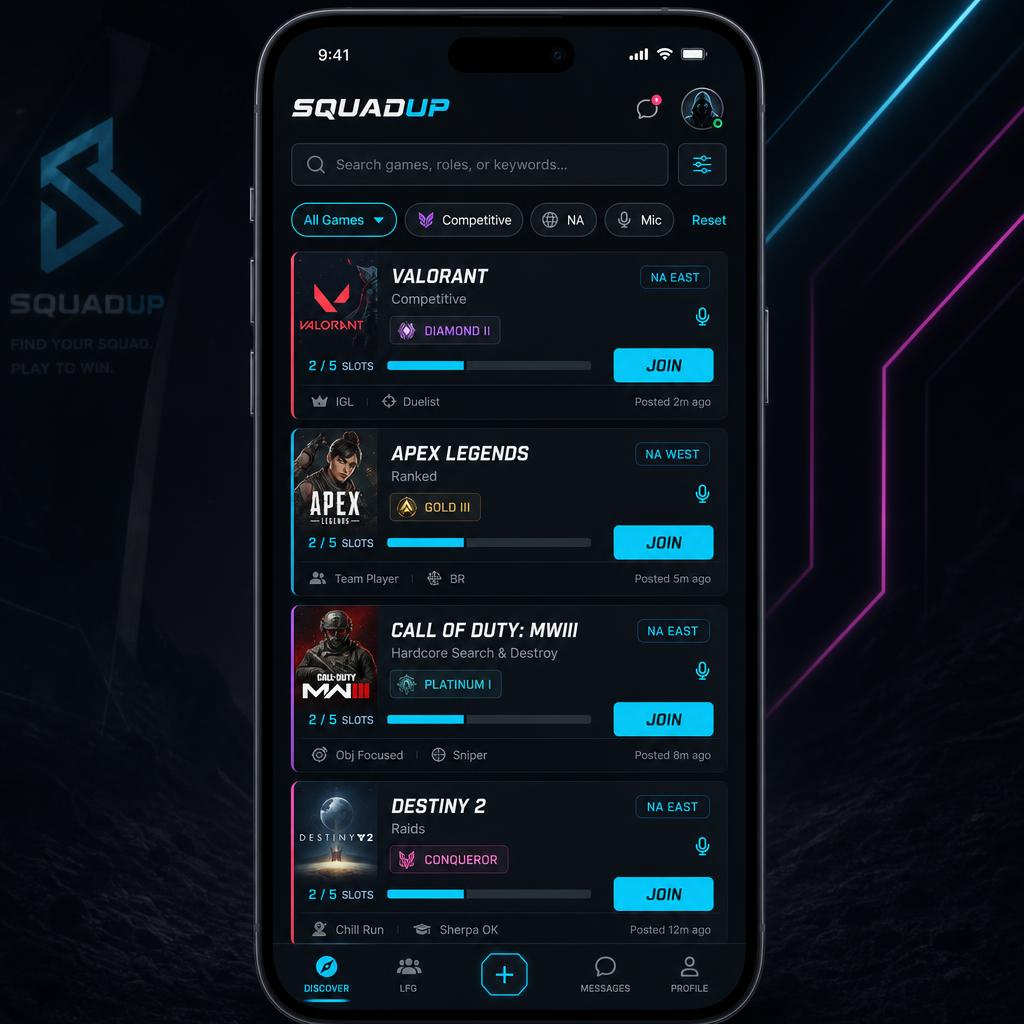
Players looking right now
Live open posts from SquadUp — this is what a filtered LFG feed looks like.
Common questions
What if my game is niche?
Post anyway and widen your time window. Niche titles have fewer players online at once, so the posts that fill are the ones that stay up and name a flexible schedule.
How do I avoid toxic teammates?
Say what you want in the post ("chill, no rage"), chat before you queue, and use a platform where you can block and report. Reputation only helps when it follows the player between sessions.
Do I need a mic?
Not always, but say either way. Plenty of players are happy with text callouts — mismatched expectations are what cause the friction, not the mic itself.
Post your first LFG
Create a free account, pick your games, and be talking to teammates in a couple of minutes.